
League-day operations
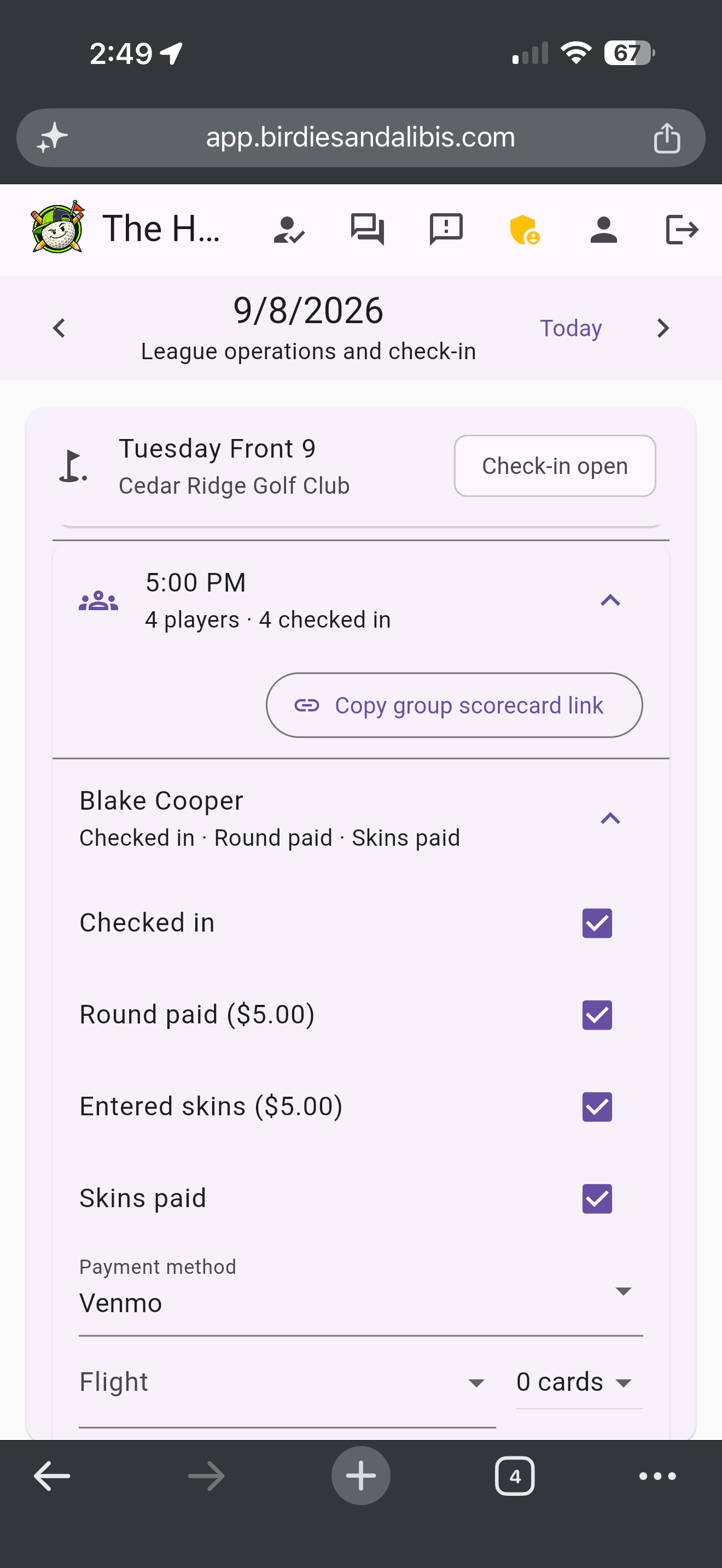
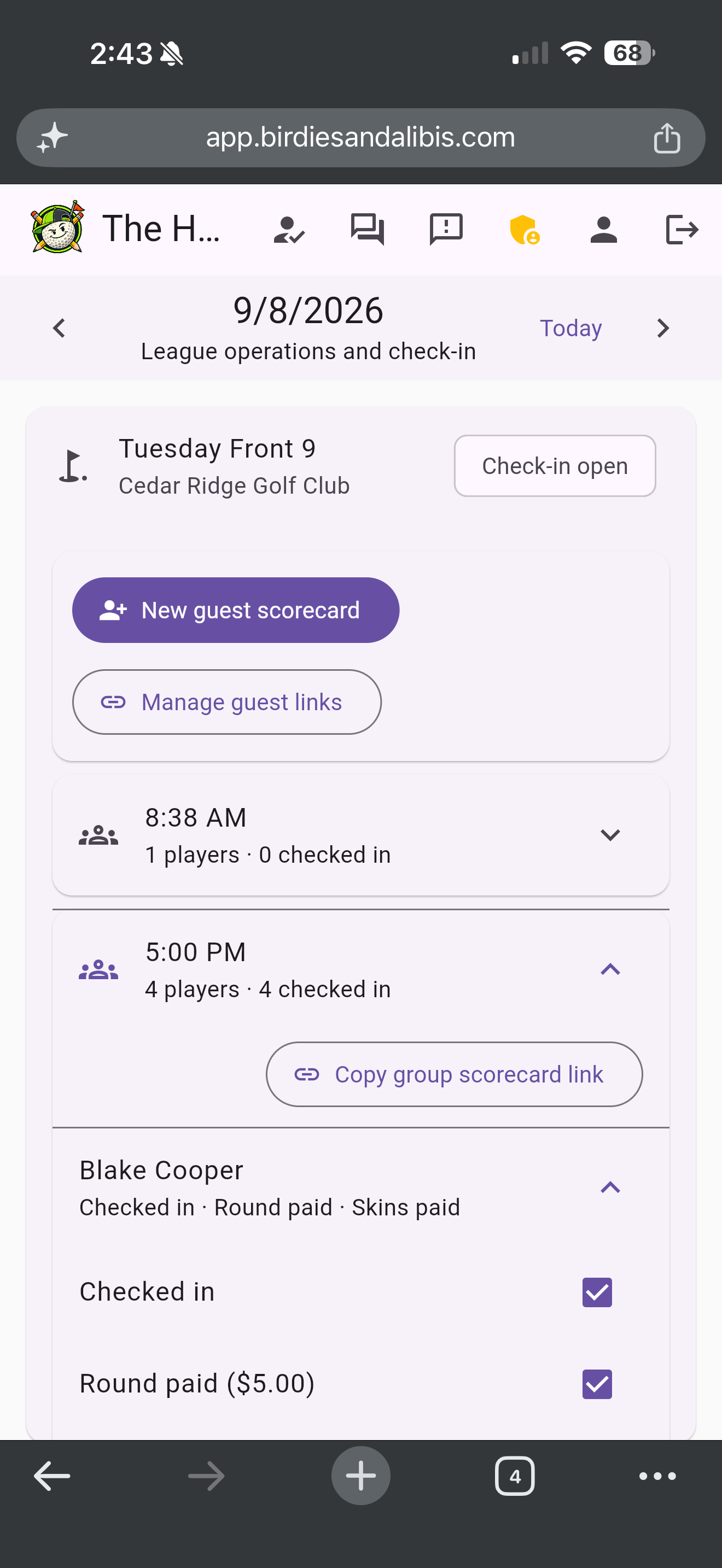
Open today's events, expand each tee-time group, and confirm player arrival, green fees, league dues, skins and scorecard status from one check-in view.
A better player experience, less staff work
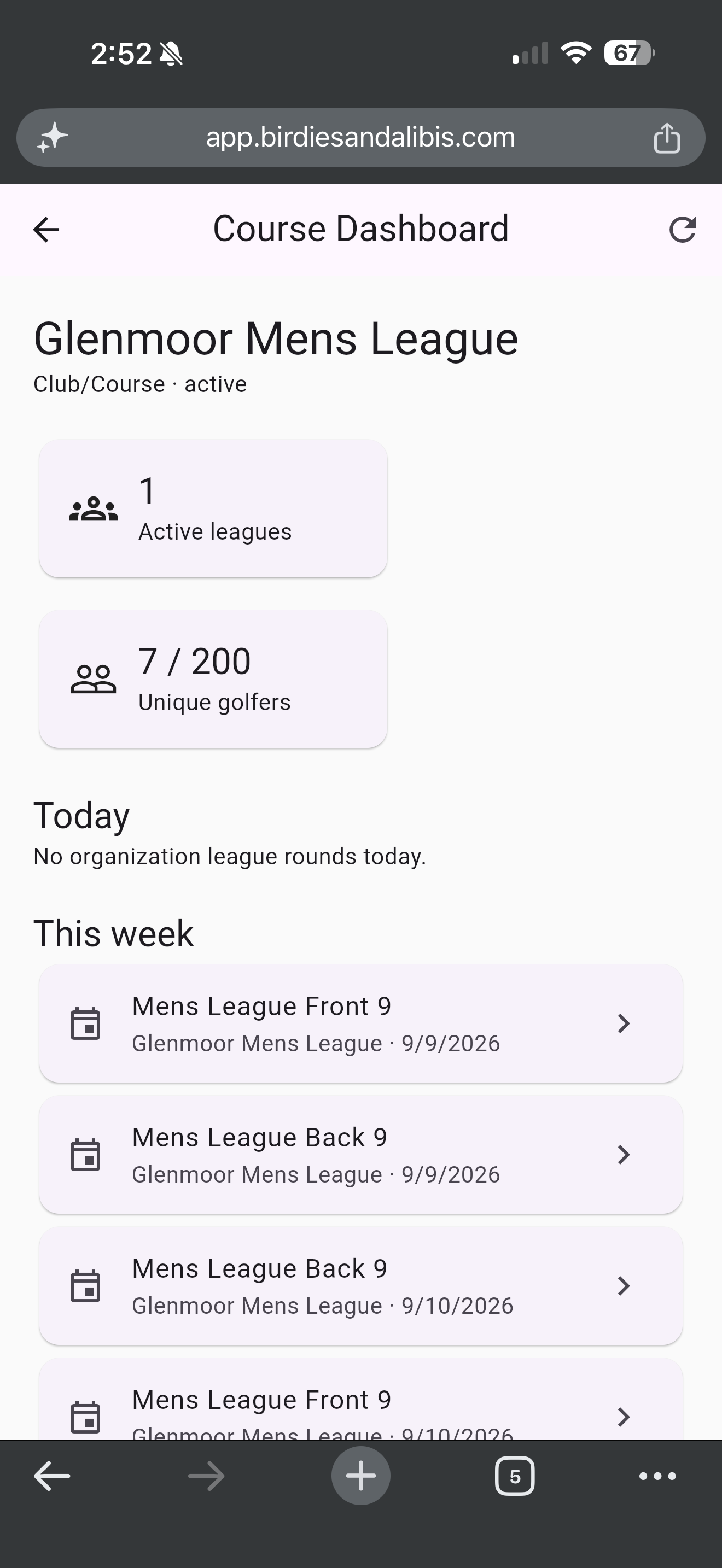
Birdies & Alibis helps one physical course run multiple leagues, check in golfers, issue guest scorecards and review payment records from a browser. The founding beta includes up to 200 unique golfers across that course's leagues.
Free early access, per physical course
Multiple leagues · 200 unique golfers · No card required
Open today's events, expand each tee-time group, and confirm player arrival, green fees, league dues, skins and scorecard status from one check-in view.
Create separate leagues for the same course, reuse course and tee information, and give authorized employees appropriate administrative access.
Golfers can score from their phones without installing an app. Staff can also issue guest scorecard links or import photographed paper cards after review.
The plan includes up to 200 unique golfers across leagues operated at the subscribed course. A golfer in more than one of those leagues counts once.
A practical upgrade for the golf shop
Actual app screens · Fictional demo golfers · Tap to enlarge
 Tap to enlarge
 Tap to enlarge
 Tap to enlarge
Free founding beta, per course
Beta access covers one physical golf course location, including multiple leagues operated there. Companies, municipalities or agencies with multiple courses should contact us to arrange separate course workspaces.
We will announce when the beta is ending and ask you to choose a paid plan before any platform charge. Away-event courses can still be saved without another enrollment.
Course and club questions
Yes. The course workspace is designed for multiple leagues at one physical location.
No. Golfers use Birdies & Alibis in a modern phone, tablet or computer browser.
Each physical course location needs its own Club/Course enrollment. Contact us to arrange multiple course workspaces under one operator.
Guest digital scorecards
Staff can share a private guest scorecard link or QR code from event operations. Assigned golfers open their card in a browser without creating an account. One link can cover the group.
Use digital scoring where it helps and keep reviewed paper-card import for everyone else. Operational contact information is used to deliver the card; it does not enroll golfers in promotional messages.
Staff can also issue standalone walk-up cards for everyday course golfers, without a league event. Golfers can save a branded scorecard image for themselves or the whole group.
A better golf day starts with a workflow your staff can understand. Explore the real screens yourself or request a walkthrough focused on your course.